


The time has finally come: IPv6 is now fully usable in the NETWAYS Cloud! Many have already asked for it, others have feared it – but one thing is clear: IPv6 is the future. It is therefore all the more important to give our customers the opportunity to use it.
Some may ask: Why only now? After all, IPv6 was ratified back in 1998.
The challenge: SDN
Every IT expert knows the problem: legacy issues. Our previous SDN, which provided the networks, had implemented IPv6 support with NAT. OpenStack servers were given an IPv6 floating IP, but incoming requests were NATed to IPv4 so that they arrived at the server’s IPv4 interface. For IPv6 connoisseurs, this idea sends a shiver down the spine – and rightly so.
The IPv6 protocol is designed for direct end-to-end communication. NAT is not part of the concept and certainly not as a detour via IPv4. Although there are cases where NAT is necessary, there are technologies such as NAT64 and NAT46, which are actually only used to integrate legacy systems without IPv6 support into the new network or to make IPv4 services accessible from the IPv6 network.
These limitations were one of the main reasons for replacing our old SDN. The migration took place over several years in parallel operation. I will explain exactly how this worked in detail in a future article. This much in advance: although the changeover was challenging, it was ultimately successful and without any major problems.
IPv6 support in OpenStack
What does IPv6 integration in OpenStack look like? In theory, networks and subnets can be configured flexibly. But where does the globally accessible subnet come from? Good question!
OpenStack uses so-called subnet pools for this purpose. These are aggregated within an AddressScope to ensure unique addressing. In concrete terms, this means that an AddressScope contains one or more SubnetPools with unique subnets.
Each customer is automatically assigned a subnet pool when a network is created. The subnet size is /56. As a single IPv6 network is always /64, 256 subnets can be created from this. The subnet pool is available for all OpenStack projects that have been started. This makes it easier to manage firewall rules, as all requests originate from the delegated /56 area.
Security: Is my server now open on the Internet?
Some might be worried: If my server has a global IPv6 address, is it directly accessible from the Internet and therefore vulnerable?
The answer: No. Incoming traffic is blocked by default. No port is opened automatically. Ports must be explicitly released.
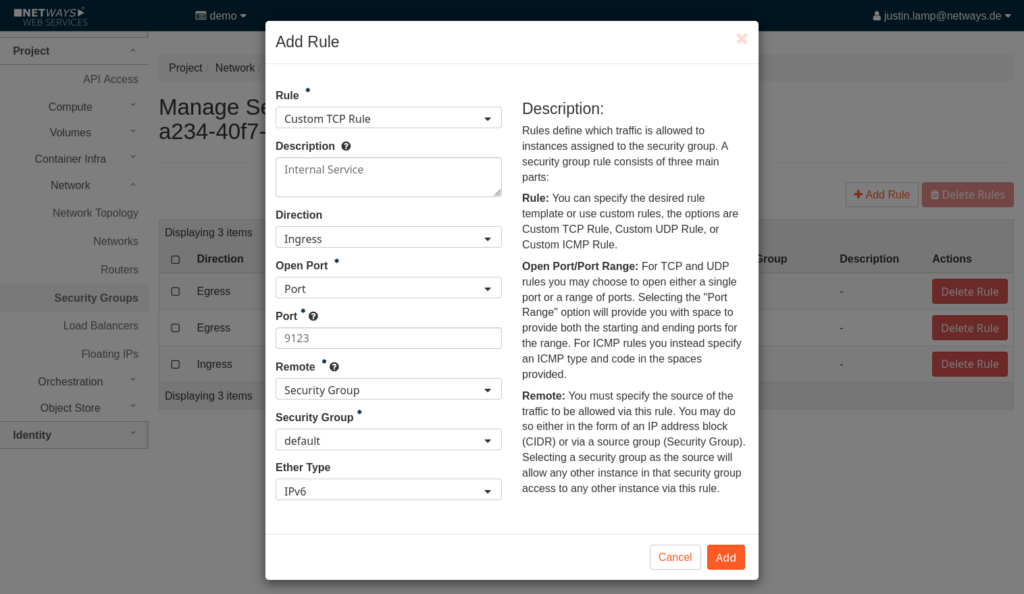
If you already have security rules for SSH & Co: No problem! IPv6 rules must be defined separately. Instead of 0.0.0.0/0 (IPv4), ::/0 (IPv6) must be enabled. Attention: This makes the port accessible from everywhere! If access is only to take place within a specific network, this must be defined explicitly.
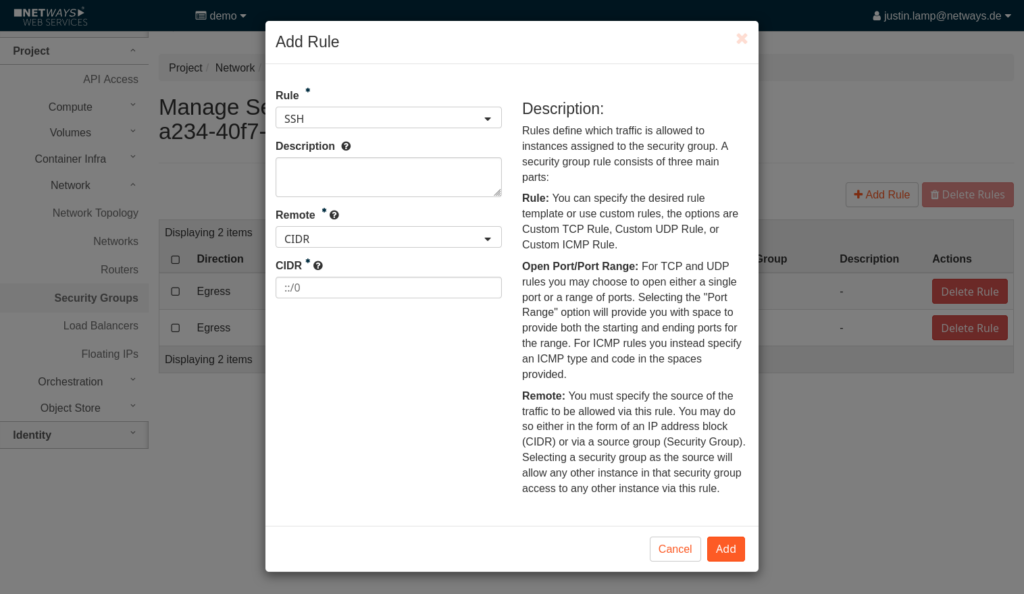
It therefore makes sense to release the port for the default security group. A server in the project automatically receives this security group, which means that the port is also automatically released. If only servers that also belong to the security group are given access to the port, the same security group can be selected instead.
IPv6 in action
The easiest way to start with IPv6 is to create a new network in MyNWS. Everything is set up correctly in the background and existing customers automatically receive the IPv6 prefix (/56).
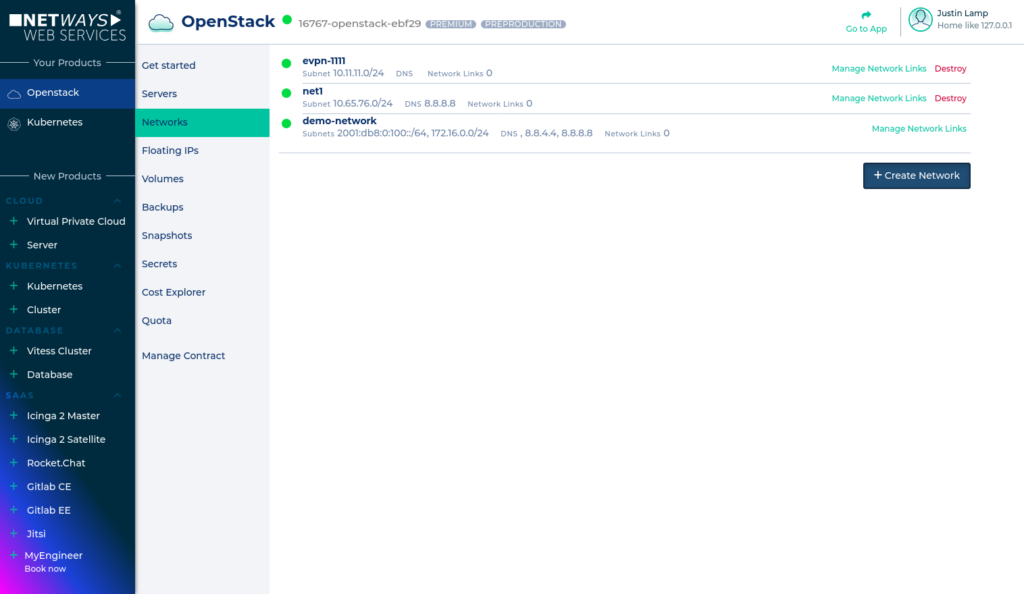
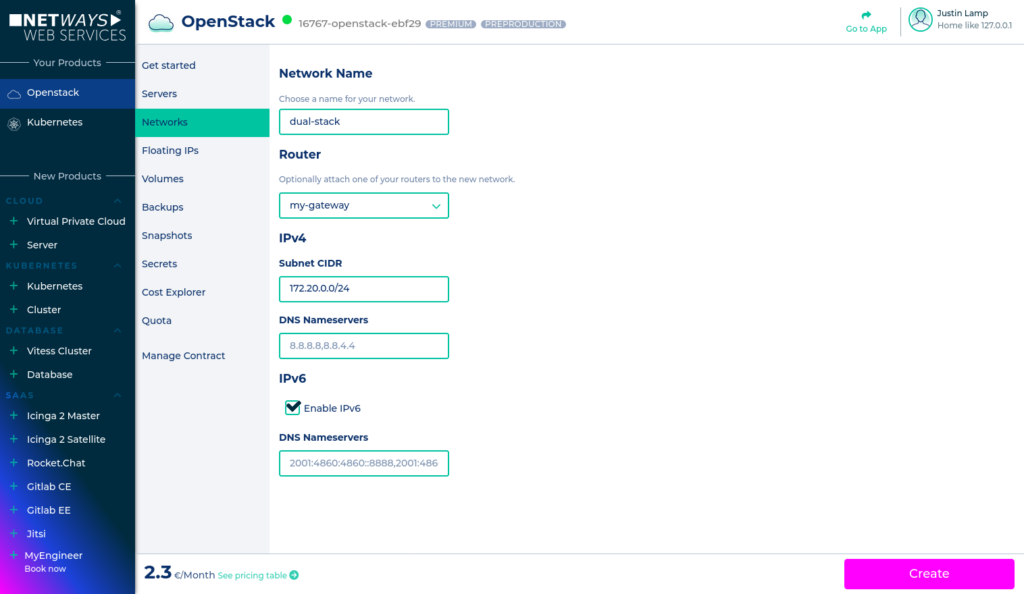
Existing networks can be managed and new ones created under Networks. A click on Create Network opens the corresponding input mask – the check mark for IPv6 support is set by default.
There are no additional costs for the use of IPv6. However, €2.30 per month is charged for an additional network due to the provision of an additional router. Existing networks can also be equipped with IPv6. However, this is only possible after the first IPv6 network has been set up in MyNWS. Unfortunately, it is then only possible directly via the OpenStack APIs, i.e. either via Horizon or CLI. If there are any requests in this regard, we can of course take care of this on request.
IPv6-only
For real IPv6 enthusiasts, there is even the option of switching to IPv6-only. However, there is a technical peculiarity here:
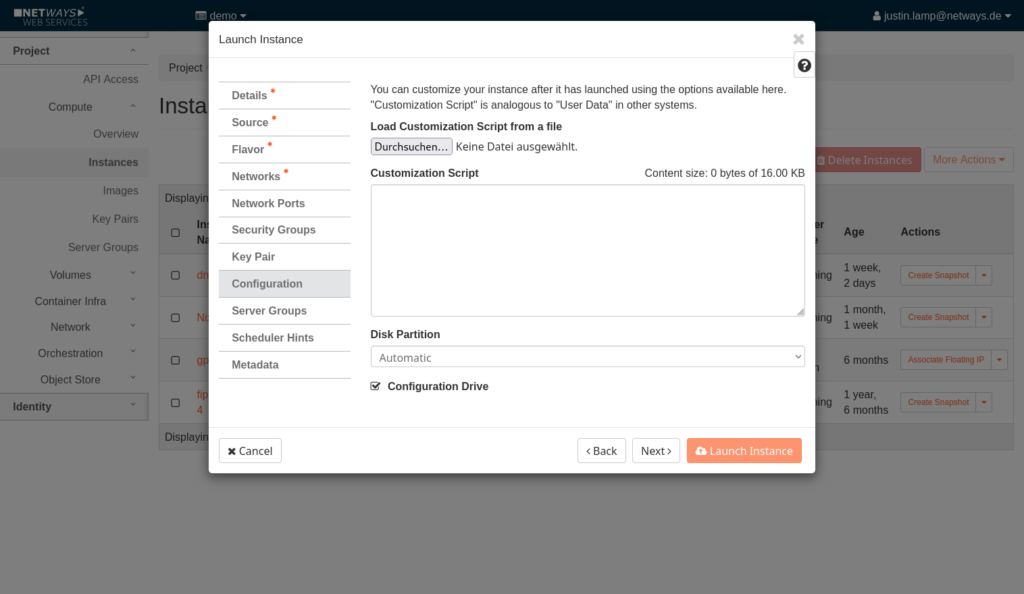
Our OpenStack environment requires the ConfigDrive option when creating servers. Why? Normally, initialization takes place via a “Well-Known IP” – however, this only exists for IPv4 in our OpenStack version. Without this IP, the metadata port cannot be accessed via IPv6. Using ConfigDrive avoids this problem by providing the server metadata as an ISO file and mounting it as a virtual CD/DVD drive.
Of course, we are also available here with our expertise and look forward to your inquiries!
Get started with IPv6 today
With the introduction of IPv6 support in the NETWAYS Cloud, we have made our infrastructure future-proof and even more powerful. Now it’s up to you – use IPv6 either in parallel with IPv4 or as the only IP standard, and benefit from a significantly increased number of IP addresses, improved network options and long-term compatibility with modern Internet standards.
If you have any further questions about implementation, technical details or a possible migration, I can recommend our documentation or one of our MyEngineers®.




0 Comments