

Our popular S3-compatible Object Storage – ideal for scalable storage of large volumes of data – is now also available as standalone Object Storage.
Object Storage is not new to the NETWAYS Web Services portfolio. Experienced users of NWS know that Object Storage has been available as part of the NETWAYS Cloud for several years. So what is new about the standalone version?
Object Storage at NWS is getting an upgrade – and a real one at that.
We continue to rely on Ceph Rados Gateway(RGW, also known as Ceph Object Gateway) in the backend, but by separating it from OpenStack, we can now pass on significantly more features to our customers.
User
For example, a major request from our customers was the ability to manage multiple user accounts in order to separate access to buckets.
In the new standalone object storage, users are the central element of a project. All other components such as keys, buckets and subusers depend on them. A maximum of 10 users can be created per project. However, we can increase this limit further on request.
Subuser
Subuser accounts are also new. A subuser is always assigned to a main user and manages the same buckets as the main user. When creating a subuser, you can specify which rights the subuser should have on the main user’s buckets. A distinction is made between read rights, write rights, read-write rights and full authorization.
User Quotas
Another new feature is quotas for users. This allows storage limits to be set. By default, a user has a limit of 50 GB, which can be increased to up to 1000 GB. We can increase the limit even further on request. The user quota takes into account the size of all data in all of a user’s buckets. The quota can be set both when a user is created and subsequently via an update option. Subusers inherit the quota of their main user.
Bucket Quotas
In addition to the user quota, there are now also bucket quotas. It is important to know that setting a bucket quota does not extend the memory limit of a user quota. The memory limit can only be further restricted. By default, the bucket quota is unlimited when buckets are created – so only the user quota applies (if set).
As with the user quota, the bucket quota can be subsequently adjusted.
Object Locking
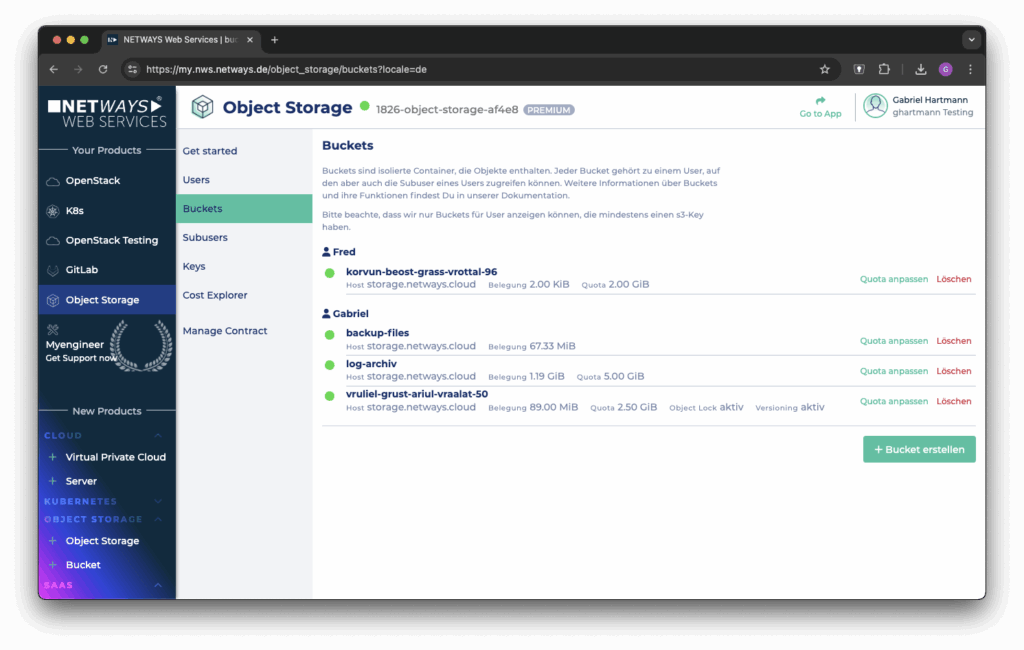
Buckets can now be created directly in MyNWS directly in MyNWS. Object locking can optionally be activated for the new bucket. Activation automatically activates versioning.
Object locking can only be activated when creating buckets and cannot be deactivated later. With object locking, other features such as retention and legal hold can be used. These features enable read-only saving of objects to protect them from changes or deletion.
Keys
We have also built a management option for keys into MyNWS. Keys can be created for the two protocols S3 and Swift.
A user or subuser can have any number of keys. You should always make a note of the secret key or store it in your trusted password manager. In MyNWS, it is only displayed once after it has been created.
Virtual Hosted Style
With regard to S3, there is another new feature: the standalone product supports the virtual hosted style.
Previously, we only offered the path style, which is now considered “deprecated”.
Virtual hosted style instead of path style means that the bucket name in requests to the Object Storage S3 API is no longer specified in the URL path, but as a subdomain. A bucket is therefore accessible under “my-bucket.storage.netways.cloud”. With OpenStack, the path style remains the same for the time being (e.g. “rgw1.netways.de/my-bucket”).
Docs
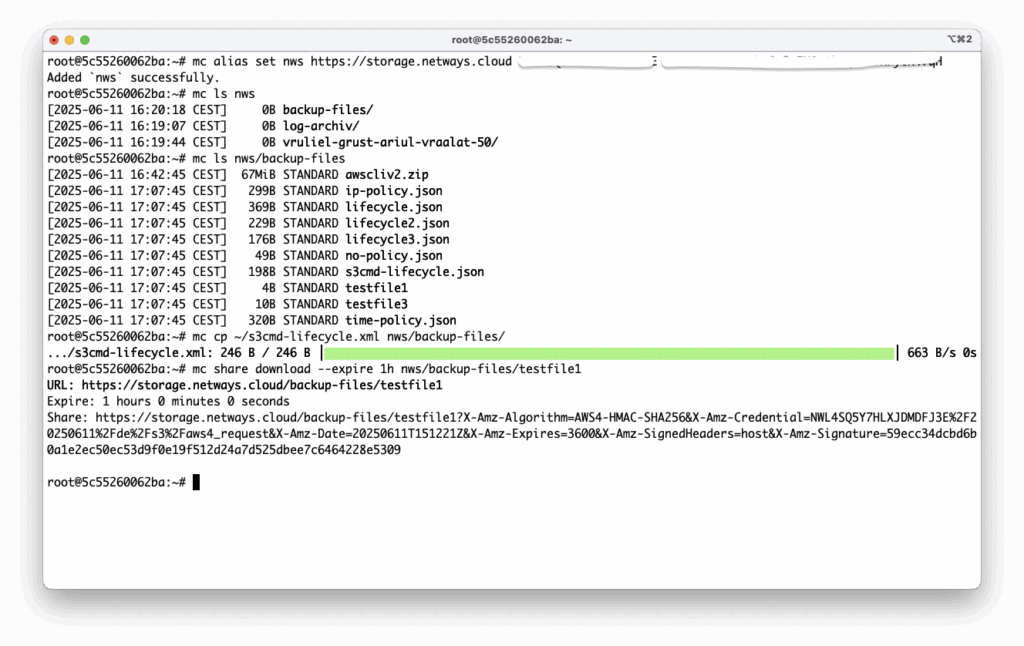
Last but not least, it is worth taking a look at our documentation: there is now a new section for Object Storage with many practical examples for the use of some S3 and Swift clients as well as the Python library Boto3. Code snippets and use case examples make it easier to find your way around the object storage world. Advanced features and concepts such as retention and legal hold are also explained in more detail.
Availability and prices
Our new Object Storage is now available – so you can get started with it at any time on MyNWS.
As with OpenStack and Kubernetes, billing is hourly on a monthly basis. Incoming and outgoing traffic and the storage space used are calculated. You can find the hourly and monthly prices for traffic and object storage here.
If you have any questions about Object Storage, simply get in touch with us via MyEngineer®.
Conclusion: Your memory, your rules
With the new standalone object storage, we offer you more control, more flexibility and more options – without any dependency on other cloud components. Whether for individual projects, large teams or complex applications: You decide how your object storage is used. All conveniently via MyNWS, with finely adjustable authorizations, quotas and modern features such as object locking.
Ready to take your data infrastructure to the next level? Then give it a try – we can’t wait to see what you make of it.




0 Comments