


Sooner or later, everyone who runs a server will probably reach the point where the VM (or parts of it) are irreversibly “torn apart” – for whatever reason.
Anyone who has dedicated themselves to backing up their data in advance now has a clear advantage and can expect significantly lower adrenaline levels – especially if the last backup was less than 24 hours ago. Backups and snapshots are quick and easy to set up in our NWS interface, so that automatic backups of your VMs are made every night.
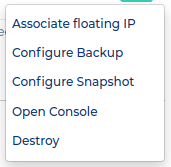
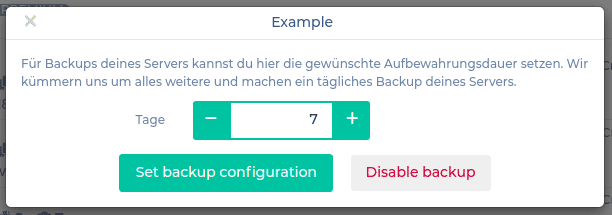
For example, we set the retention period to one week and confirm:
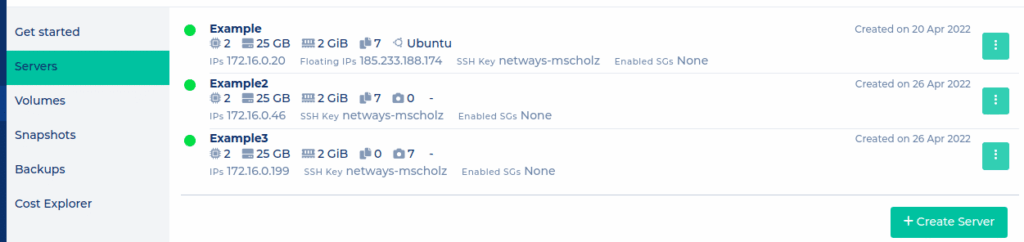
The NWS server list will provide an overview similar to this one for the following three cases:
VM Example: SSD: Backup
VM Example2: Ceph-Volume: Backup
VM Example3: Ceph-Volume: Snapshot
After their automatic creation by us at night, they will then be visible under their respective menu items.
To be able to use backups, you would then have to switch to Horizon (OpenStack WebUI) at the latest.
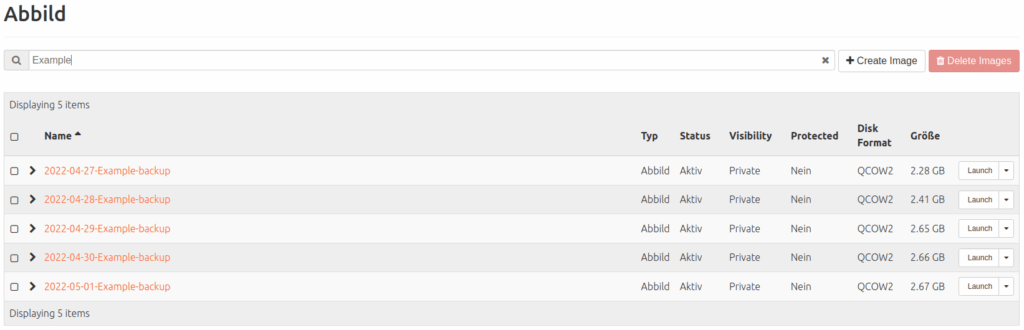
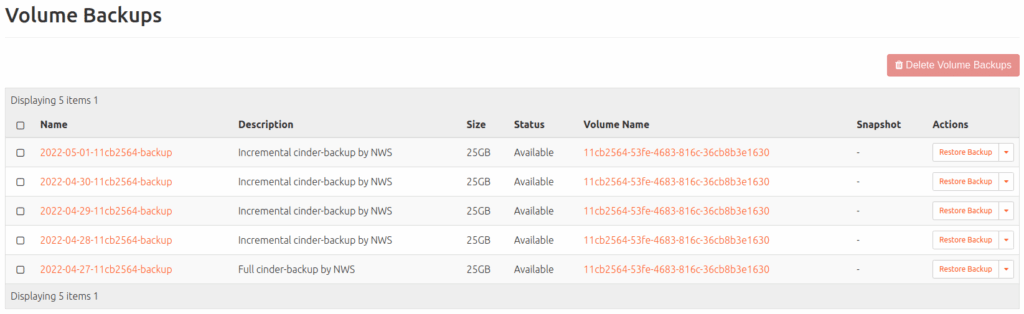
Five days after setting up the backups, for example, you would find them there for our three servers:
Backup (of SSDs; can be found under: Compute > Images)
Volume backup (of Ceph volumes; can be found under: Volumes > Backups)
Volume snapshot (of Ceph volumes; can be found under Volumes > Snapshots)
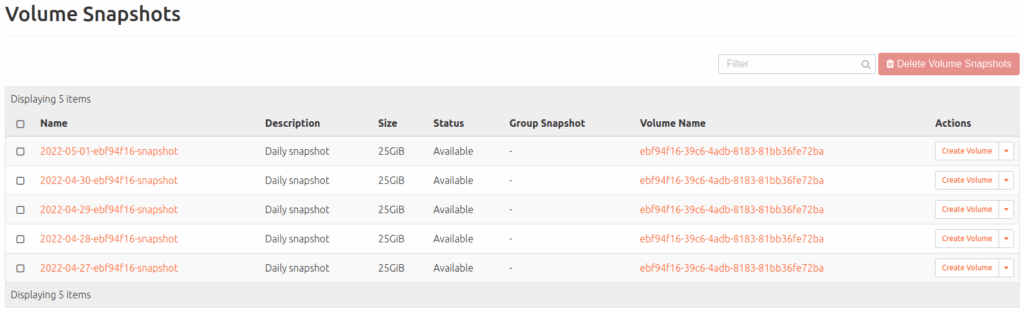
The latter snapshots are based on increments of the underlying volume and are cheaper compared to backups; more on this in a moment.
If you want to enter these backup settings manually via the metadata:
| what is modified: | ||||
| VM on SSD | Backup | VM (Compute > Instances) | nws_backup=true | rotation=7 |
| VM with Ceph volume | Backup | Volume (Volumes > Backups) | cinder-backup=true | cinder-backup-rotation=7 |
| VM with Ceph volume | Snapshot | Volume (Volume > Snapshots) | nws_snapshot=true | rotation=7 |
If you now want to make your backups/snapshots available again, you can, for example
- create a volume from it and add it to an existing VM
- (delete the crashed VM and) start a new VM from it (VMs with Ceph volume) or
- rebuild the machine with the specific backup/snapshot (VMs on SSD)
Snapshot vs. backup?
With a volume snapshot, a snapshot is created in the central Openstack storage. In the event of an incident, this is also quickly available. The snapshot is replicated three times across two locations. Replication protects your data against daily disruptions such as hardware defects. The snapshots also protect you against major disasters such as fire or flooding at one location. Why is a backup still useful?
Protection against human error: If an incorrect volume is accidentally deleted, all current data and all associated snapshots are deleted. However, an existing backup is not affected and the volume can be restored.
Protection against bugs: Even if current storage systems are of high quality and have been running reliably and securely for years, errors in the software can lead to data loss. A second independent storage system for your backup significantly reduces this risk.
Have you lost track with all the replicating and copying? If you have any questions, we are happy to help!




0 Comments